HMO fire safety compliance software
Alarm tests, emergency lighting, fire doors and escape routes checked and recorded for every property, ready for the day the council asks.
The duty
HMO licence conditions require fire detection, emergency lighting, fire doors and escape routes to be maintained and recorded, and the council can ask at any time. Across many properties, held in different agents’ filing systems, that request is the problem.
How AssetWRX handles it
- 1
A site per property, an asset per thing in it
Each HMO is a site. Alarms, emergency lights, fire doors, extinguishers and escape routes are the assets within it.
- 2
Licence conditions as repeating checks
Weekly alarm tests, monthly emergency-light checks and annual servicing run on their own schedule for each property.
- 3
Records a licensing officer will accept
Dated, photographed and signed, per property, and exportable as one file when the council asks.
- 4
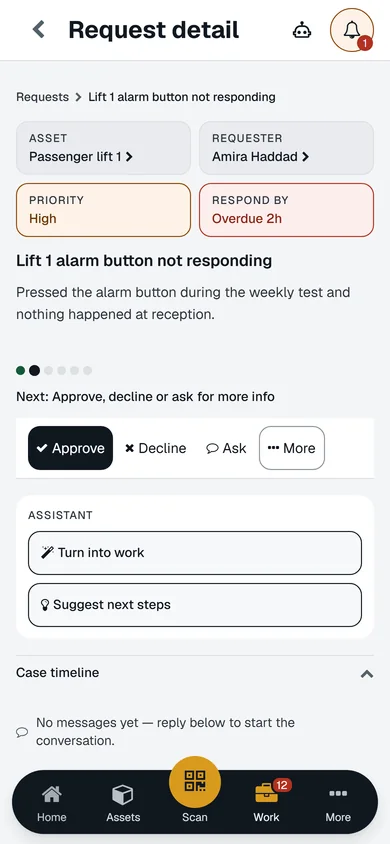
Tenants can report in seconds
A label in the hallway. The tenant scans it and reports a fault with a photo, with no app and no account, and you can show you responded.
- 5
Every property on one list
What is overdue across all of them, instead of one spreadsheet per building.
- 6
Agents and contractors see only their properties
A managing agent or a contractor sees the properties they handle and nothing else.
Questions
- Does this cover licence conditions for all councils?
- Conditions vary by council. You set the checks and intervals your licence specifies; AssetWRX runs and records them.
- Can tenants report faults without an account?
- Yes. A QR scan opens a reporting form. No app, no licence, no account.
- Can we manage several properties in one account?
- Yes. Sites and assets are unlimited on every plan, including Free.
See it on your own doors, lifts and tanks
Your first asset is free, with no card. Label it, check it, sign the report. Then decide.